Anime character layering
Original character Nori. Drag Nori, hide the name, or move the book.
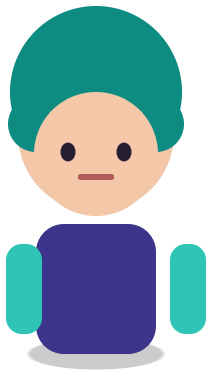

Sample layers you can click, hide, and drag. Your own image is split in the editor.
VTuber model prep
VTuber model prep is turning a single character illustration into a layered file that a rigger can animate, with the body, hair, face, and outfit separated and hidden areas painted.
For new VTubers on a budget and for riggers who receive flat art: get a layered starting point in minutes, see what still needs cutting, and send a clear brief to your artist.
Last updated
Drop an image to split it into layers
Separate the subject, text, and background, then move or resize any layer.
1
Use the front view at full resolution. A plain background separates faster and cleaner.
2
Solo hair, face, body, outfit, and accessories. List what merged.
3
They finish eyes, mouth shapes, and hair strands, then rig in Live2D Cubism.
4
Export the PNG ZIP for overlays, a starting-soon screen, or a parallax background.
Test a rig idea on a separated stack before paying for a full professional parts split.
Show your artist exactly which parts are already separated and which still need cutting.
The same split gives a cut-out for overlays, a clean background plate, and pieces for emotes.
A tracked model needs separate eyes that blink, a mouth that opens with several shapes, brows, front hair that sways independently, and often a separate body angle layer. These are small, overlapping parts, and they are drawn or cut by hand. Image Layered does the large separation and the background plate, which is where a lot of cleanup time goes when you start from a single flat image.
Use the result as a prototype: split, cut the face parts quickly, and do a rough rig to see whether the design works on camera. When you commission the final model, give the artist the split so they know which parts already exist.
The character cut-out works for a Twitch or YouTube overlay, a starting-soon screen, or a channel banner. The rebuilt background plate can become a scene behind the model. For depth effects, see parallax layers from an image.
Need to change the outfit color for a seasonal stream? Select the outfit layer and use Recolor for 3 credits, or open the PSD in PhotoCraft.
Original character Nori. Drag Nori, hide the name, or move the book.
Sample layers you can click, hide, and drag. Your own image is split in the editor.
Not on its own. You still need parts cutting for the face and a rig in Live2D Cubism or a similar app. This tool shortens the separation step.
No. 3D models are built in VRoid or Blender. This tool is for 2D art.
Yes for your own art or art you are licensed to use. Exported layers are yours.
One free 1K preview split per day without an account, watermarked and not exportable. A full 2K split is 5 credits and includes both the PSD and the PNG ZIP, whatever the layer count. Credits come back automatically when a split fails. The 100-credit Starter pack is a one-time payment, not a subscription.
Yes — you can split one image per day at 1K without an account to preview the layers. Full-resolution 2K layers and PSD/PNG ZIP export use 5 credits per split.
A layered Photoshop PSD where every element is its own named, transparent layer at its original position, or a ZIP of transparent PNGs plus a composite.
Posters, product shots, social graphics, characters and AI-generated images with clear subjects. Very busy photos can merge small details into one layer.
Credits are refunded automatically when a split fails or times out.
Uploads are used only to create your layers and are not shown publicly or used for training.
Yes, you can use exported layers from your own images in commercial work.