Anime character layering
Original character Nori. Drag Nori, hide the name, or move the book.
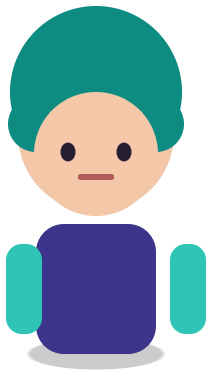

Sample layers you can click, hide, and drag. Your own image is split in the editor.
Paper doll layers
Paper doll layers are a character split into a base body and swappable pieces, such as tops, bottoms, shoes, hair, and accessories, so each item can be shown, hidden, or replaced, as in a dress-up game or an avatar maker.
For dress-up game makers, avatar creators, and doll-maker artists who have finished outfit art and want the pieces on separate layers.
Last updated
Drop an image to split it into layers
Separate the subject, text, and background, then move or resize any layer.
1
Front view, outfit fully visible, simple background.
2
Check which garments and accessories came out as separate layers.
3
Recolor or Replace a garment layer to create alternate items.
4
Download the PNG ZIP; every item keeps its position for the dress-up canvas.
Jackets, skirts, hats, and bags often come back as their own layers when they have clear edges.
Select an outfit layer and replace it with a prompt, keeping the rest of the character (4 credits).
Recolor keeps the shape and changes the color for quick colorways (3 credits).
A dress-up game needs the body under the clothes, and a flat illustration simply does not contain it. When you hide an outfit layer, what you see under it is the model’s guess, not a drawn body. For a production base, draw the base body once, then use the split to separate the outfit art drawn on top of it.
The most reliable workflow is to draw outfits on a template body, export each look as a flat image, and split it here to pull the garments off as aligned layers.
Hats, bags, glasses, and handheld props usually separate because they have strong outlines. Thin jewelry and hair clips can merge with the hair or skin. If you only need one item off the image, extract an object is the faster page.
For visual novels and character sprites with several outfits, see visual novel sprite layers.
Original character Nori. Drag Nori, hide the name, or move the book.
Sample layers you can click, hide, and drag. Your own image is split in the editor.
You can prototype one. For production, draw a base body and split outfit art drawn on top of it.
Replace changes a selected layer with a prompt for 4 credits. Check the edges and the face afterward.
Not always. Items with clear outlines usually do; thin or same-color items may merge.
One free 1K preview split per day without an account, watermarked and not exportable. A full 2K split is 5 credits and includes both the PSD and the PNG ZIP, whatever the layer count. Credits come back automatically when a split fails. The 100-credit Starter pack is a one-time payment, not a subscription.
Yes — you can split one image per day at 1K without an account to preview the layers. Full-resolution 2K layers and PSD/PNG ZIP export use 5 credits per split.
A layered Photoshop PSD where every element is its own named, transparent layer at its original position, or a ZIP of transparent PNGs plus a composite.
Posters, product shots, social graphics, characters and AI-generated images with clear subjects. Very busy photos can merge small details into one layer.
Credits are refunded automatically when a split fails or times out.
Uploads are used only to create your layers and are not shown publicly or used for training.
Yes, you can use exported layers from your own images in commercial work.