Anime character layering
Original character Nori. Drag Nori, hide the name, or move the book.
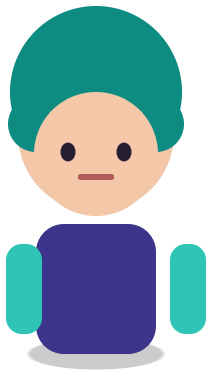

Sample layers you can click, hide, and drag. Your own image is split in the editor.
Spine character parts
Spine character parts are the separate transparent images (head, torso, arms, legs, hair, weapon) that are attached to bones in Esoteric Spine or Unity 2D Animation to animate a 2D character.
For indie game developers who have a single character illustration and need the pieces to rig. Get a separated PNG set at original positions, then refine and rig.
Last updated
Drop an image to split it into layers
Separate the subject, text, and background, then move or resize any layer.
1
A neutral pose with limbs apart from the torso gives the cleanest parts.
2
Check which limbs separated. Merged limbs can be cut in your image editor.
3
Extend the torso under the shoulders and hips so rotations do not show gaps.
4
Use the images folder or a Photoshop-to-Spine script on the PSD, then build bones and meshes.
Every layer keeps the same canvas, so parts line up when you place them as Spine attachments.
Held items often come back on their own layer, which is what you want for a swap slot.
5 credits per 2K split, not per part, so a 12-piece character costs the same as a 4-piece one.
Spine animation needs overlapping parts: an upper arm that extends under the shoulder, a torso painted under the arms, a head with a neck stub. A single flat illustration has none of that hidden paint. The split separates the pieces and rebuilds the scene background, but the figure joints still need a few minutes of painting per part.
Because the PSD keeps positions, you can also run the common Photoshop-to-Spine export script on it after renaming the layers, which writes the JSON with each attachment in place.
Items held in the hand, such as a sword, staff, shield, or gun, frequently come back on their own layer. That makes a clean default attachment and a starting point for skins. For full equipment sets and dress-up systems, see paper doll layers.
For environment art and props that are not characters, use game asset layers.
Original character Nori. Drag Nori, hide the name, or move the book.
Sample layers you can click, hide, and drag. Your own image is split in the editor.
No. It exports a PSD and a PNG ZIP. Use Spine’s Photoshop script or import the images folder.
Only when the limb is visually separate in the source. Choose a pose with arms and legs apart.
Yes. Both use layered PSD or PNG parts; the import step is the same idea.
One free 1K preview split per day without an account, watermarked and not exportable. A full 2K split is 5 credits and includes both the PSD and the PNG ZIP, whatever the layer count. Credits come back automatically when a split fails. The 100-credit Starter pack is a one-time payment, not a subscription.
Yes — you can split one image per day at 1K without an account to preview the layers. Full-resolution 2K layers and PSD/PNG ZIP export use 5 credits per split.
A layered Photoshop PSD where every element is its own named, transparent layer at its original position, or a ZIP of transparent PNGs plus a composite.
Posters, product shots, social graphics, characters and AI-generated images with clear subjects. Very busy photos can merge small details into one layer.
Credits are refunded automatically when a split fails or times out.
Uploads are used only to create your layers and are not shown publicly or used for training.
Yes, you can use exported layers from your own images in commercial work.