Anime character layering
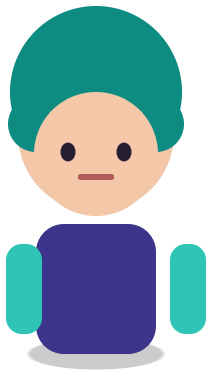
Original character Nori. Drag Nori, hide the name, or move the book.
Sample layers you can click, hide, and drag. Your own image is split in the editor.
Illustration to layers
Illustration to layers means recovering separate layers from a flattened illustration, such as a character standing art (立ち絵 / 立绘 / tachie), a cover, or a key visual, so you can edit pieces without repainting the whole image.
For illustrators who flattened a piece before delivery, lost the original PSD, or received only a JPG from a client, and now need to change one part.
Last updated
Drop an image to split it into layers
Separate the subject, text, and background, then move or resize any layer.
1
JPG, PNG, or WebP up to 10 MB. Larger, cleaner sources give better edges.
2
Solo the figure, effects, props, text, and background layers.
3
Recolor, Replace, or move layers here, or download the PSD for your painting app.
Get a layered file back from the exported JPG or PNG when the source file is gone.
Change a costume color, move a prop, or remove an effect without touching the face.
Re-frame a tachie for a banner, a square icon, or a vertical poster using the rebuilt background.
A tachie is a full or half-body character image used in games and visual novels, usually on a transparent or simple background. Splitting it gives you the figure on its own layer plus large regions like hair and outfit, which is enough for recolors, alternate versions, and moving accessories.
For expression variants and multiple poses for a visual novel, see visual novel sprite layers. For anime-style key visuals, see anime character to PSD.
Painterly art with soft edges, heavy texture, or glowing effects separates into fewer, broader layers than cel-shaded art. Effects such as light rays, particles, and glow often come back as their own layer or merge into the background, depending on how much they overlap the figure.
If the illustration is mainly text and graphic design (a cover, a poster), poster to PSD and edit text in an image are the right pages.
Original character Nori. Drag Nori, hide the name, or move the book.
Sample layers you can click, hide, and drag. Your own image is split in the editor.
No tool can recover the exact original layers. You get new layers based on what is visible in the image.
No. Uploads are used only to create your layers and are not shown publicly or used for training.
Any app that opens PSD: Photoshop, Clip Studio Paint, Krita, Affinity, Photopea, and Procreate via import.
One free 1K preview split per day without an account, watermarked and not exportable. A full 2K split is 5 credits and includes both the PSD and the PNG ZIP, whatever the layer count. Credits come back automatically when a split fails. The 100-credit Starter pack is a one-time payment, not a subscription.
Yes — you can split one image per day at 1K without an account to preview the layers. Full-resolution 2K layers and PSD/PNG ZIP export use 5 credits per split.
A layered Photoshop PSD where every element is its own named, transparent layer at its original position, or a ZIP of transparent PNGs plus a composite.
Posters, product shots, social graphics, characters and AI-generated images with clear subjects. Very busy photos can merge small details into one layer.
Credits are refunded automatically when a split fails or times out.
Uploads are used only to create your layers and are not shown publicly or used for training.
Yes, you can use exported layers from your own images in commercial work.