Anime character layering
Original character Nori. Drag Nori, hide the name, or move the book.
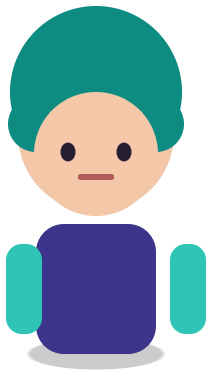

Sample layers you can click, hide, and drag. Your own image is split in the editor.
Anime character to PSD
Anime character to PSD means taking a single flattened anime illustration and getting back a Photoshop file where the character, the large regions of the figure, props, and the background sit on separate transparent layers.
Built for fan artists, commission artists, and small studios who only have the JPG or PNG of a character and need something they can recolor, reposition, or hand to an animator.
Last updated
Drop an image to split it into layers
Separate the subject, text, and background, then move or resize any layer.
1
Use the largest version you have, ideally 1,500 px or more on the short side. Avoid screenshots with UI, watermarks, or speech bubbles over the face.
2
The 1K preview shows how the figure separates before you spend a credit. If hair and face fuse in the preview, they will fuse at 2K too.
3
Solo the hair, the outfit, the face, and the background one at a time. Note which pieces came back together.
4
Open it in your painting app, name the layers, and keep painting. Retouch seams on the hair edge with a small brush.
Flat colors and hard shadow shapes separate more cleanly than painterly art, so most anime pieces come back as usable blocks.
Hide the character and the scene behind it is filled in, so you can move the figure or drop it onto a new key visual.
The PSD opens in Photoshop, Clip Studio Paint, Krita, Photopea, and Procreate (via import) with layer order and transparency kept.
Anime and manga-style illustrations are built from flat color fills, clean line art, and two or three shadow tones. That structure gives a layer model strong edges to follow, so the figure, the outfit, and props held in the hands usually come apart as clean shapes. Soft, painterly or heavily textured pieces split too, but the boundaries are less exact.
The background is the part people underestimate. A key visual with the character standing in front of a city or a classroom needs the hidden pixels behind the body. Image Layered rebuilds that plate, so after the split you can slide the character to the left of the frame for a banner or a thumbnail without a hole where the body was.
Expect large meaningful pieces rather than a fixed anatomy chart: the character (often with the face and skin together), hair as one or two pieces when it does not overlap the face too much, the outfit, held props such as a sword or a phone, text or logos, and the background. The exact count follows the picture.
If you need finer parts, such as separate eyes, eyebrows, or a mouth for animation, use this PSD as the starting point and cut those from the face layer by hand. That is the honest workflow described on Live2D parts separation.
For non-character art, such as posters and product shots, image to layers and image to PSD are the general pages.
Recoloring an outfit for an alternate costume, moving a character for a YouTube or Twitch thumbnail, extracting a character for a sticker or acrylic stand print, building a parallax header, and handing a commission client a layered file when the original was lost.
For quick color changes you can stay in the browser: select the outfit layer and use Recolor (3 credits), or open the stack in PhotoCraft for masks and blend modes at no extra split cost.
Original character Nori. Drag Nori, hide the name, or move the book.
Sample layers you can click, hide, and drag. Your own image is split in the editor.
No. Each returned layer contains its own line art and color. If you need a separate line layer, extract it in your painting app from the PSD.
Yes. Clip Studio Paint opens PSD files directly and keeps the layer order and transparency.
Yes, but each character tends to come back as one piece. For per-character parts, crop to one figure first.
One free 1K preview split per day without an account, watermarked and not exportable. A full 2K split is 5 credits and includes both the PSD and the PNG ZIP, whatever the layer count. Credits come back automatically when a split fails. The 100-credit Starter pack is a one-time payment, not a subscription.
Yes — you can split one image per day at 1K without an account to preview the layers. Full-resolution 2K layers and PSD/PNG ZIP export use 5 credits per split.
A layered Photoshop PSD where every element is its own named, transparent layer at its original position, or a ZIP of transparent PNGs plus a composite.
Posters, product shots, social graphics, characters and AI-generated images with clear subjects. Very busy photos can merge small details into one layer.
Credits are refunded automatically when a split fails or times out.
Uploads are used only to create your layers and are not shown publicly or used for training.
Yes, you can use exported layers from your own images in commercial work.