
Problem
Changing a headline, product, logo, character, or background usually requires the original design file. Many teams only have the exported image.
Poster remix workflow
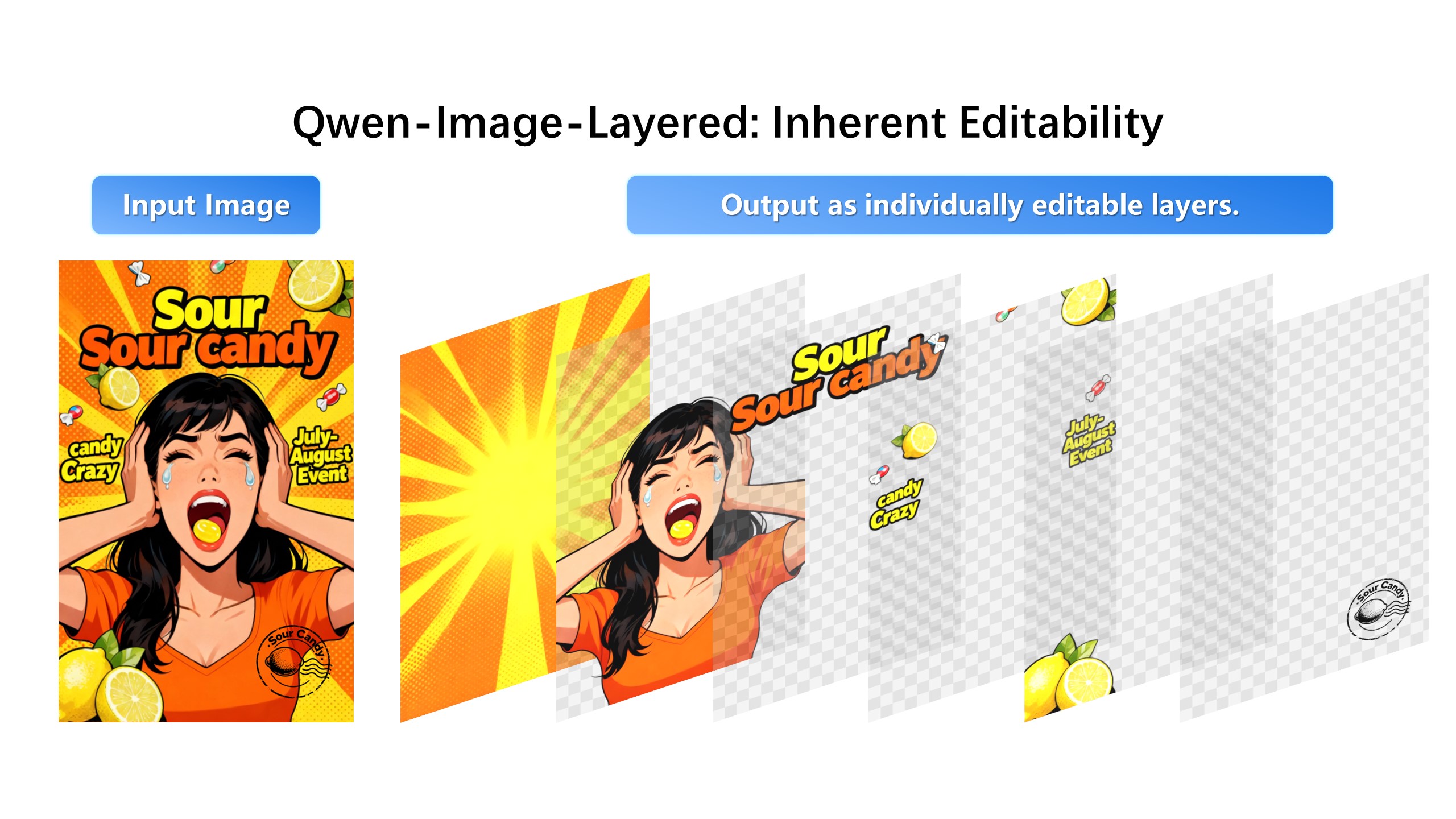
When you only have a flattened poster, every change feels like a rebuild. Image Layered helps recover editable structure from a PNG or JPG so you can revise campaign assets faster.
Change the headline to New Arrival while keeping a similar typography style.
Changing a headline, product, logo, character, or background usually requires the original design file. Many teams only have the exported image.
Separate poster elements into layers, edit the layer that needs work, and export a new creative for the campaign.
Posters arrive as flattened exports — from a designer who left, a template tool, or an AI generator. The request is always the same: change the date, translate the headline, swap the product. Without layers that means a rebuild; with decomposition it is a five-minute revision.
Decomposition recovers the structure a designer would have used: headline, logo, body copy, background plate, decorative graphics. Once separated, each element moves, resizes, recolors, or rewrites independently — the text layer takes new wording without touching the illustration beneath it.
Text revision is the most common poster edit and the most painful to redo manually. Selecting the text layer and describing the new wording keeps placement, scale, and surrounding layout intact, which is what makes fast localization of one poster into five languages realistic.
1. Upload the poster image.
2. Generate layers for subject, headline, logo, product, background, and effects.
3. Select the text, product, or background layer.
4. Remix and export the updated poster.
Yes. The page is designed around starting from a flattened PNG or JPG.
Yes. You can extract individual layers for use in other design tools.