
Problem
Most AI tools are optimized for creating new images. Production work needs edits, approvals, variants, exports, and predictable changes.
Revision instead of regeneration
Image teams do not only need generation. They need a reliable revision step. Image Layered is built for the moment when the image is close, but one detail blocks publishing.
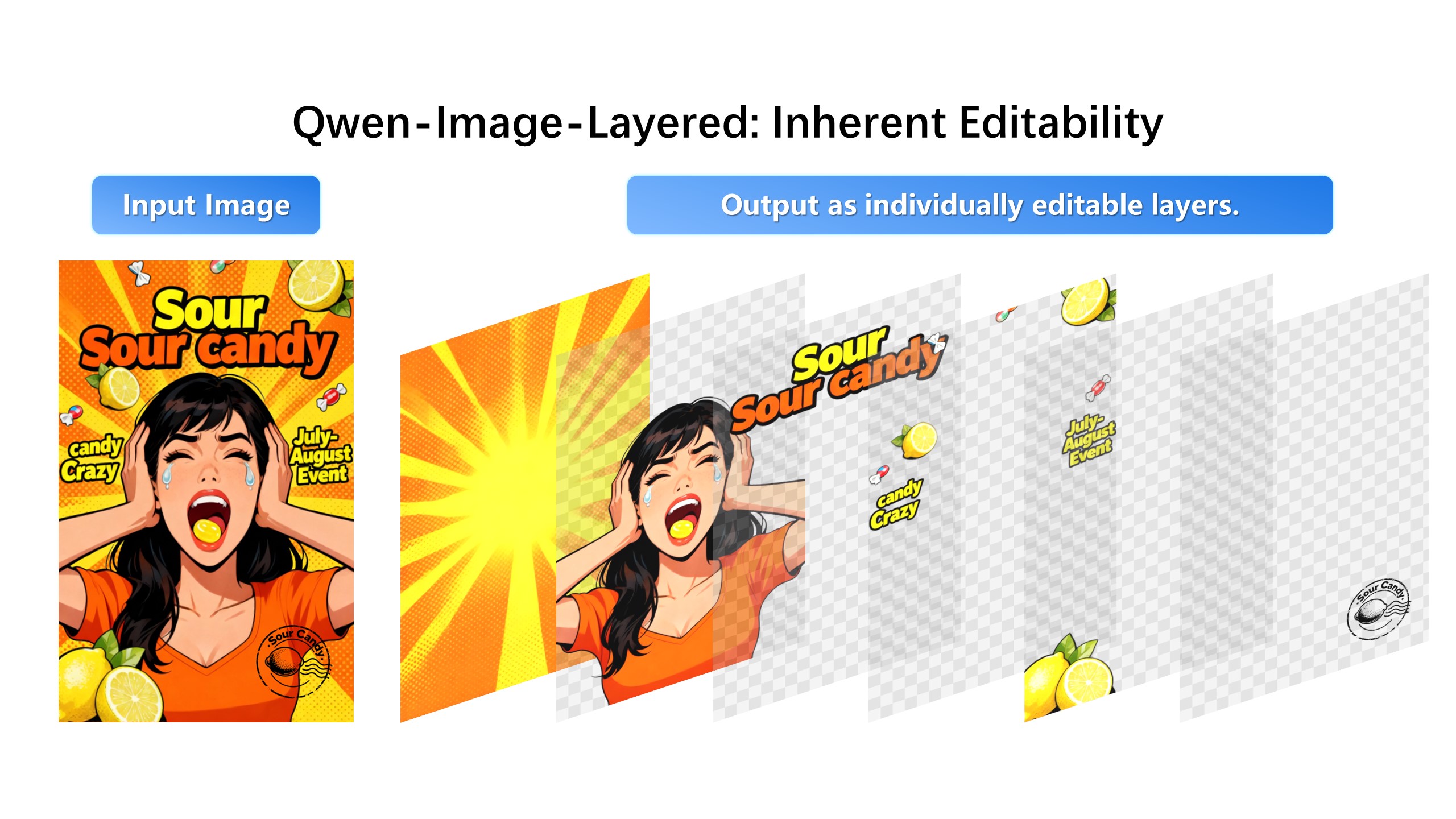
Remove the visual artifact near the hand and keep everything else unchanged.
Most AI tools are optimized for creating new images. Production work needs edits, approvals, variants, exports, and predictable changes.
Use layer separation as the operating layer between AI generation and final design. Select the element, edit it, export layers, and recombine the image.
A revision tool earns its name by what it refuses to touch. The core test: can you name the target — this object, this layer, this region — and get everything else back pixel-identical? Tools that only re-prompt are generators wearing a revision badge.
Real revision workflows keep the previous state recoverable. Variations should arrive as new layers that hide their source, not overwrite it; history should survive an undo binge. The moment an edit is destructive, iteration becomes gambling.
Revision tools meet real pipelines, not replace them. Exporting individual layers as transparent PNG hands the result to Photoshop, Figma, or Canva; exporting the composite finishes the job in-tool. Both paths matter, and credits should price the revision, not the exploration.
1. Upload the image that is almost ready.
2. Separate it into editable layers.
3. Choose product, background, clothing, text, lighting, or object.
4. Generate a controlled revision and export the final creative.
Marketers, ecommerce sellers, designers, AI creators, and anyone who needs controlled edits on finished images.
The product starts from layer separation, so users can operate on parts of the image instead of treating the whole picture as one prompt.